Category: Open Source

Open source philosophy, community, and contribution — including WordPress’s role in the open source ecosystem.

  • WordCamp US 2025 conference workshop

    WordCamp US 2025 conference workshop

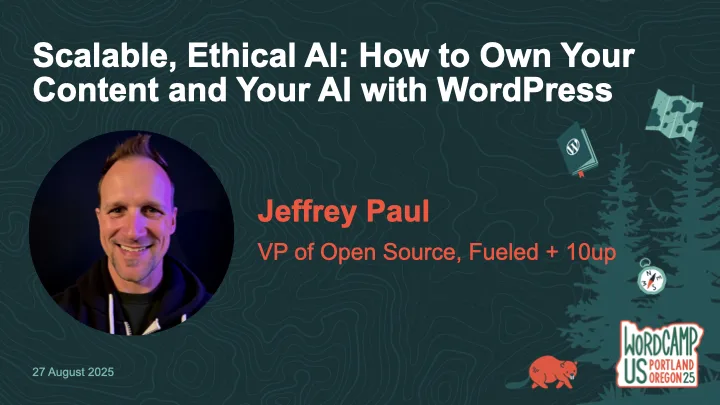
    Thanks to everyone who came to my workshop at WordCamp US 2025, Scalable, Ethical AI: How to Own Your Content and Your AI with WordPress.  While the workshop was not live-streamed, it was recorded and is available on WordPress.tv (and hopefully YouTube soon).

    The description of the workshop is as follows:

    AI is becoming standard in content workflows—but too often, it comes at the cost of data privacy, long-term ownership, and open standards.  What if WordPress could help you do AI differently?

    In this workshop, we’ll go hands-on with ClassifAI and local LLMs to explore how AI features can be built ethically and scalably—from alt text generation to semantic classification to content summarization.  You’ll learn how to configure ClassifAI with a local model via Ollama or any compatible runner, using the new AI Services plugin developed by the WordPress Core AI Team.

    We’ll walk through real-world use cases and show how teams can reduce third-party dependencies while speeding up editorial flow—especially useful for enterprise content teams, agencies, and hosts.  You’ll leave with a working configuration (or clear path to one), plus a roadmap of how these tools are evolving across the WordPress ecosystem.

    Bring your laptop and a local or staging WordPress site if you’d like to follow along.  Whether you’re building for one site or 10,000, this workshop will help you make AI work for you—not the other way around.

    If you missed the workshop or had troubles following along (sorry!), then below are my slides as well as a reference to the prerequisite setup steps to be prepared for the workshop.

    Finally, here’s the on-demand workshop:

    Fediverse Reactions
  • Get Ready for My WCUS 2025 Workshop: Set Up Your Local AI-Powered WordPress Environment

    Get Ready for My WCUS 2025 Workshop: Set Up Your Local AI-Powered WordPress Environment

    If you’re joining my Scalable, Ethical AI workshop at WordCamp US 2025, we’re going hands-on with building privacy-friendly, locally-powered AI workflows right inside WordPress.  By the end of the workshop, you’ll leave knowing how to own both your content and your AI.

    This guide will help you prepare your laptop ahead of time so you can spend less time troubleshooting and more time experimenting with tools like ClassifAI and Ollama.  By doing this setup in advance, you’ll spend more time exploring the features and asking questions and less time downloading files during the workshop.

    Step 1. Set Up Your Local WordPress Environment

    The fastest way to get started is with tools like WordPress Studio, LocalWP, or DevKinsta that spin up a fully functional local site in minutes.  If you’ve got something else you like/use, then by all means use that!

    • Download and install WordPress 6.8 (PHP 8.1 or newer recommended)
    • Create a new local site
    • Confirm you can log into your WordPress dashboard

    Step 2. Install the ClassifAI Plugin

    ClassifAI is the AI integration plugin we’ll use throughout the workshop.

    • Download it from classifaiplugin.com
    • Or grab it directly from GitHub
    • Upload and install via Plugins → Add New
    • We’ll activate and configure it together during the workshop, but feel free to test it out before then!

    Step 3. Install Ollama for Local AI Models

    We’ll use Ollama to run AI models locally, keeping your content private and your workflows fully under your control.

    1. Download and install Ollama for your operating system.
    2. Pre-pull the four models we’ll use in the workshop:
    ollama pull qwen2.5:3b-instruct-q4_0
    ollama pull phi3:mini
    ollama pull all-minilm:l6-v2
    ollama pull moondream:v2

    Step 4. (Optional) Configure ClassifAI to Use Ollama

    We’ll work through this during the workshop, but if you’re wanting to get ahead of things then feel free to set up these features.  Once ClassifAI and Ollama are installed, we’ll connect each feature to a local model:

    FeatureModelPurpose
    Content Generationqwen2.5:3b-instruct-q4_0Drafts high-quality content locally
    Title Generationphi3:miniSEO-friendly, engaging post titles
    Excerpt Generationphi3:miniClean, concise summaries
    Content Resizingphi3:miniExpand or condense paragraphs on demand
    Key Takeawaysphi3:miniExtract key insights automatically
    Classificationall-minilm:l6-v2Suggests categories and tags locally
    Alt Text Generationmoondream:v2Privacy-safe image descriptions

    Step 5. Test Your Setup

    To confirm everything is working:

    ollama run phi3:mini "Hello from WCUS workshop setup"

    The above should respond with a simple message from Ollama (via the phi3:mini model), though in my testing it will almost certainly NOT get the WCUS acronym correct ;).

    If you did the optional ClassifAI configurations in Step 4, then test those are working as expected:

    1. Create a new draft post in WordPress.
    2. Use Title Generation or Content Generation from ClassifAI.
    3. Verify that a response comes back successfully.
    4. If something isn’t working, try restarting Ollama:
    ollama run

    Step 6. (Optional) Load Sample Content

    If you’d like extra material to test during the workshop, you can download the sample content that I’ve assembled.  I’ll provide USB drives with this sample posts, images, and taxonomy terms on the day of the workshop as well.

    To load them:

    • Go to Tools → Import → WordPress
    • Upload the provided XML file
    • Import posts, pages, and media assets

    Additional Resources

    • ClassifAI – Local Media HTTP: a small ClassifAI extension to serve attachments over http on .local sites
    • ClassifAI – Ollama Timeout: a small ClassifAI extension to increase the HTTP timeout for requests to Ollama on localhost
    • WordPress AI team: whether you’re an engineer, designer, researcher, or just curious about AI, we’d love to have you involved as we shape the future of AI in WordPress

    See You at WCUS!

    I can’t wait to connect with folks in-person at WordCamp US 2025 and dig into how we can own our content and our AI using WordPress, ClassifAI, and locally-powered workflows.

    Whether you’re a developer, editor, or site owner, you’ll hopefully leave the workshop with a hands-on understanding of how to bring scalable, ethical AI into your publishing stack without handing your data over to external platforms.

    Fediverse Reactions
  • Wapuu + Labubu = Wabubu?

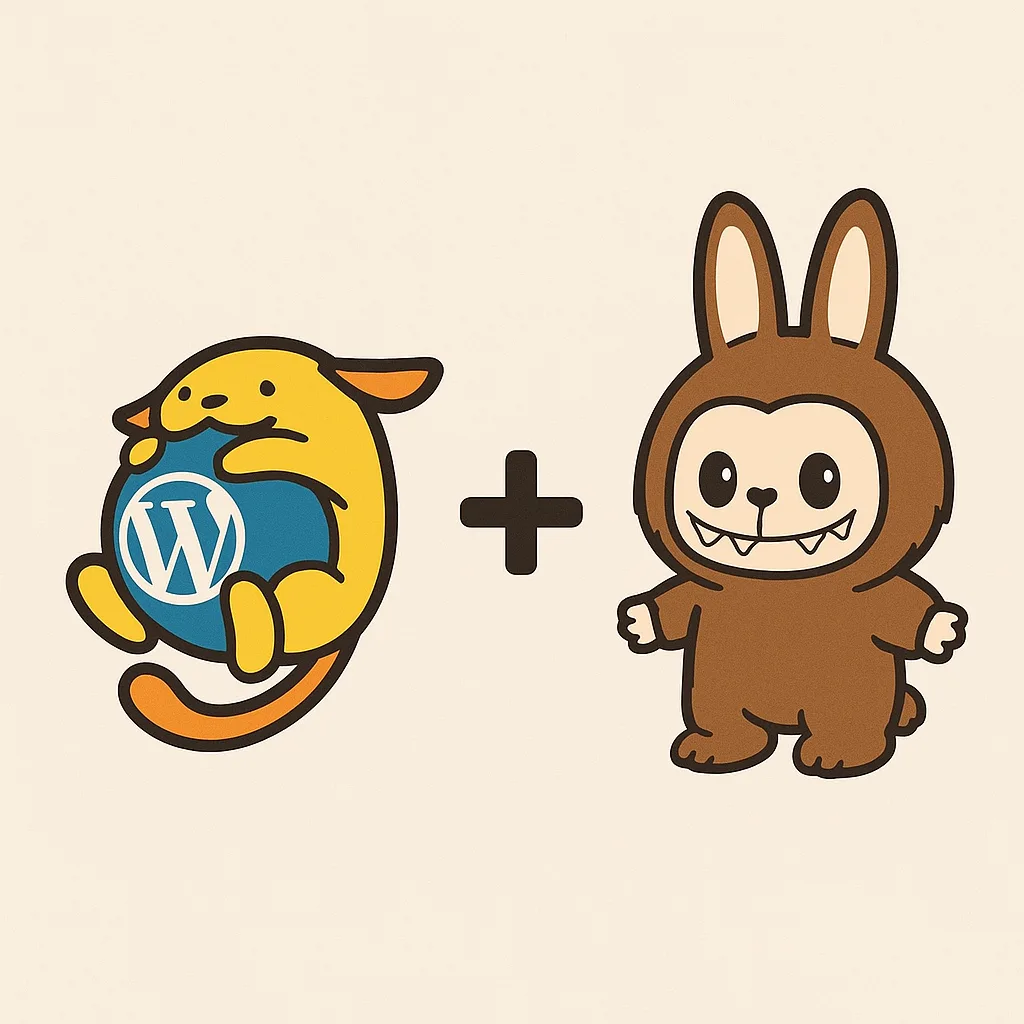
    Wapuu + Labubu = Wabubu?

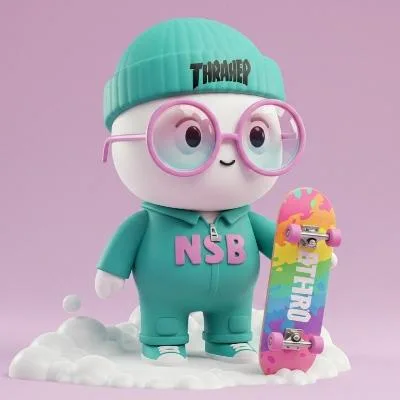
    With WordCamp US just around the corner, one might about any new Wapuu designs on company swag in Portland. A couple weeks ago on vacation with my family, I was walking the beach boardwalk with our kids and saw several Labubus being swung around or otherwise attached to kids’ slingbacks. My brain immediately went to “what would a mashup of a Wapuu and a Labubu look like?” and just as quickly started prompting ChatGPT with image generation requests to get an answer.

    The 4o model did a pretty great job from my initial, simple boardwalk-based prompt of “Can you design a mashup of a Labubu and a Wapuu?” even nailing the mashup name of “Wabubu”:

    Absolutely — just to clarify first: are you imagining this mashup as a character illustration, a 3D model, or something else (e.g. plush, toy concept, sticker art)?

    Assuming you’re looking for a character design mashup between Labubu (the mischievous, spiky-toothed character from The Monsters series by POP MART) and Wapuu (the cuddly WordPress mascot), here’s an idea for the concept:


    Labubu × Wapuu Mashup Design Concept

    Name: Wabubu

    Core Traits Blended:

    • Wapuu body shape: round, simple, chibi proportions, friendly pose
    • Labubu face: mischievous wide smile, prominent buck teeth, large ears, and wild hair
    • Wapuu accessories: hugging the WordPress logo (or an alternate WP-related item like a laptop, Gutenberg block, or code bracket)
    • Labubu texture: subtle fur, pointy ears, wild eyebrows

    Visual Details:

    • Head:
      • Wapuu’s round face but with Labubu’s wide, toothy grin and pronounced front teeth
      • Big mischievous Labubu-style eyes (slightly tilted, giving a prankster vibe)
      • Fluffy tufts of Labubu’s wild hair, slightly unkempt, poking out behind ears
      • Long pointed ears, one flopped down playfully
    • Body:
      • Retain Wapuu’s soft, rounded body and paws holding the WordPress logo
      • Covered in soft fur with Labubu’s tiger-like stripes subtly hinted in the texture
      • Small tail – could be a hybrid of Wapuu’s squirrel-style and Labubu’s wilder brush tail
    • Color Palette:
      • Golden yellow fur base (like Wapuu), but with darker brown/orange accents from Labubu
      • Blue-and-white WordPress logo contrasts nicely for emphasis

    Pose Ideas:

    • Cheeky grin, clutching the WordPress logo sideways like it just stole it
    • One paw giving a “peace” sign or tiny devil horns
    • Sitting on a stack of code books or on top of a WordPress admin dashboard

    Would you like me to generate an image of this version of Wabubu for you? If you want it to look more cute or more punk/mischievous, I can adjust the balance accordingly. Just let me know!

    The first two generated images, however, missed the mark:

    A cartoon of a cat holding a blue sign
    A cartoon animal holding a sign

    Even asking ChatGPT to show me what it thought was a Wapuu and a Labubu in a basic “a plus b equals c” sort of image was a struggle to get the entire image within the output:

    At that point it was obvious that ChatGPT wasn’t super clear on what a Labubu looked like and needed a lot more coaching to create a landscape image of the mashup creation.  So I shared an image of the first Wapuu and Labubu image from a quick web search to better define the image generation request and that immediately yielded better results:

    A cartoon of a dog and a rabbit

    From there it was much better at hitting what I was looking for in the Wabubu mashup both in a friendlier Wapuu version and a mischievous Labubu version:

    A cartoon of a cat holding a blue ball
    A cartoon cat holding a blue ball

    At this point I felt it had nailed the general concept and started asking it to create different image style variants based on quick prompt variations:

    Ironically with all the fun I had peppering ChatGPT with image generation variations I hit the cap of my monthly plan limit of image generations (yes, there are some variants and generations that I didn’t include here because they were just _bad_).

    So at this point, ahead of WCUS, I’m curious… which of these are your favorite Wabubu variant?  Which would you want physical merch of?  What other image variants would you create?  Do you prefer the more friendly Wapuu or the more mischievous Labubu variants?  Which style do you think would make an epic enamel pin, plush toy, or swag giveaway at WordCamp US?  Let me know your pick, or suggest a new mashup idea!

  • Minor But Mighty: elevating WordPress one minor release at a time

    Minor But Mighty: elevating WordPress one minor release at a time

    WordPress 6.8 “Cecil” shipped earlier this month, and with the new once-a-year major release cadence, there will not be a WordPress 6.9 until sometime next year.

    That gives us a rare opportunity: let’s rally as a contributor community and give these 6.8.x minor releases attention more akin to major releases.

    WordPress’ minor releases aren’t just for emergency fixes; they’re a real opportunity to focus, polish, and improve WordPress in specific ways.  The following are some ideas I have on different focuses we would have with 6.8.x minor releases.


    1. Good First Bugs Blitz

    We’ve got a backlog of “good first bugs” that already have patches, so let’s get them tested, reviewed, and committed.  Clearing these builds contributor confidence, keeps the door open for new contributors, and reduces technical debt.  It’s a win for the project and the community.

    2. “Paper Cuts” (aka UX polish)

    Tiny friction points add up.  Let’s fix the little annoyances that get in the way of a great editing and admin experiences.  (No formal query for this, just a call for suggestions on what little nags or pet peeves folks have that could use some small tweaks.) Not every improvement needs to be huge; removing friction in the basics makes WordPress feel smoother, faster, and more welcoming for everyone.

    3. Accessibility Improvements

    I would love to partner with folks like Amber Hinds, Joe Dolson, and others to ship a release centered around accessibility improvements.  Accessibility isn’t optional.  It’s core to WordPress’ mission of democratizing publishing for everyone, and these improvements help real users every single day.

    4. Internationalization + RTL Support

    There’s room to improve for non-English (“I18n“) and Right-to-Left (“RTL“) language users who often times get forgotten behind focuses on “American” and “English” support.  English speakers aren’t the majority on the internet.  Improving i18n and RTL support makes WordPress better for millions, not just a handful of users.  Let’s make the platform more global in practice, not just in theory.

    5. Bundled Theme Improvements

    Let’s continue upgrading default themes to better reflect today’s block editor capabilities, maybe even revisit Post Formats in the process.  Modernizing bundled themes keeps WordPress feeling current and shows off its best capabilities right out of the box.

    6. Privacy Enhancements

    There’s plenty to work through in the Privacy component, we can help ship thoughtful improvements that matter.  Privacy expectations and regulations keep evolving.  WordPress should continue empowering users to control their own data and stay ahead of the curve.

    7. PHP Compatibility Focus

    PHP 8.4 is here and some hosts are upgrading fast, so let’s keep WordPress running cleanly, consistently, and compatibly across current, active PHP versions.  Staying compatible means better performance, better security, and better future-proofing for sites around the world.

    9. Security Fixes (Always)

    Security fixes will of course stay a priority, so in so far as there are things folks can help within the Security component then let’s do it.  WordPress powers a huge portion of the web, and with great reach comes great responsibility.  Regular security work protects users, businesses, and the open web.


    Why These Minor Releases Matter

    Every improvement we target from accessibility, internationalization, privacy, PHP compatibility, security, UX polish, to contributor experience strengthens WordPress in ways that matter today and even more tomorrow.

    This isn’t just “maintenance”, it’s about doing the work that keeps WordPress usable, reliable, trusted, and welcoming for the next generation of users and contributors.  6.8.x gives us a real window to focus without the distractions of a major release.  We should take advantage of it.

    Not flashy.  Not headline-grabbing.  Just meaningful progress, the kind that sticks.

    If you’re interested in leading, patching, reviewing, testing, or just helping shape what comes next, let’s talk.  Let’s ship real improvements, together.

    Let’s Do This Together

    I’d love to lead (or co-lead) a few of these minor releases.  But I’d also love to see others step in.

    • Want to lead a focused minor release?
    • Want to contribute through patches, reviews, or testing?
    • Have a new focus idea that fits the spirit of targeted, impactful updates?

    Say something.  Step up.  Let’s get organized and make it happen.

    Comment here, or ping me in WordPress Slack (I’m @jeffpaul there).  Let’s ship some solid stuff in 6.8.x and keep WordPress moving forward. ????

    Fediverse Reactions
  • Are your WordPress plugins GPL compatible?

    Are your WordPress plugins GPL compatible?

    A little over two months ago I spoke at WordCamp US on the topic of “[u]sing a GitHub Action to ensure your plugins are GPL compatible.” The primary concern was ensuring that WordPress plugins focus on more than just first-party code being properly licensed and expanding that to ensure that all third-party libraries (aka dependencies) are also properly licensed.  So that folks don’t need to continually check for that in every pull request, using a GitHub Action to help automate the process can give immediate comfort that this is no longer a concern for plugin developers.

    Last week I met with Doc Pop on the Press This podcast to talk a bit more on the topic to give folks additional context beyond my WCUS lightning talk.  You can listen via the Press This RedCircle episode page or via the Spotify embed below (the only service that embeds nicely).

  • Contributions Welcome!

    Contributions Welcome!

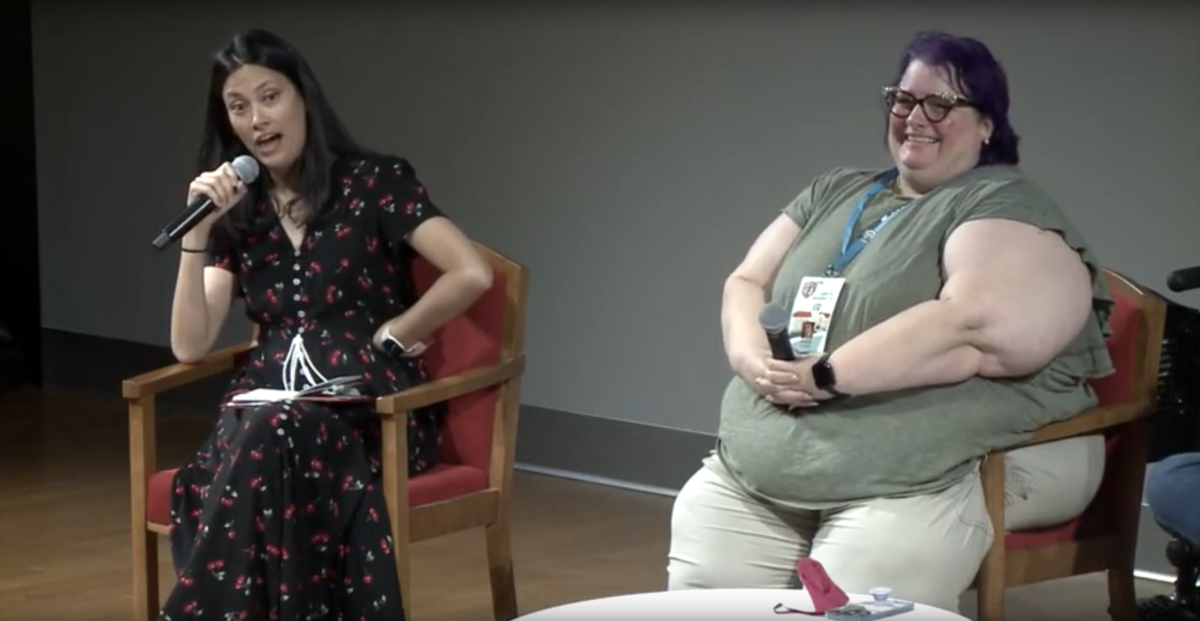
    Josepha Haden lead a panel discussion at WordCamp Montclair earlier this summer with Michelle Frechette, Courtney Robertson, and Ebonie Butler on the topic of the all women and non-binary release squad in WordPress 5.6 (aka “Simone”) and their individual and shared experiences contributing to WordPress.  One of my favorite parts was when Josepha stresses what should already be a certainty, but unfortunately one that still bears repeating (and amplifying); namely that contributions from anyone should always be welcome.

    The clip below highlights that part of the panel discussion and shows off Josepha’s wonderfully quirky approach storytelling.  Please watch and consider sharing in your networks so we can ensure this approach to welcoming all contributions spreads as widely as possible.

    Fediverse Reactions
  • How you can contribute to WordPress (yes, ???? YOU!)

    How you can contribute to WordPress (yes, ???? YOU!)

    Me: Do you regularly use WordPress? ????

    You: Yes, I love it, it’s fantastic! ????

    Me: Have you ever thought about helping contribute to WordPress? ????

    You: No, I am not a developer. ????

    Me: Well, good news, you do not have to be! ????

    You: Ok, tell me more… ????

    Whether you have considered it or not, I am absolutely certain that you CAN contribute to WordPress that I will personally offer to help you find a way to do so.  I will outline some options below, but feel free to reach out to me directly and I promise to do the best I can to help!

    How you can contribute to WordPress (yes, ???? YOU!)

    Note that this post is an update and refresh of a prior post on make.xwp.co.

    But first, a little background on me… ????️

    I graduated from college in 2001 with a degree in Computer Science, but have not spent any significant time coding since then.  I have held roles in project management, product management, and team and customer management.  The way I tell it, no one would realistically hire me these days for fine-crafted engineering.  And yet, there has been a fantastic opportunity for me to help contribute to WordPress starting as a deputy release lead on WordPress 4.7.  While this was a significant time commitment for me, there are many ways you can contribute with minimal time commitment.

    Now let us focus on how you could contribute… ????️‍♂️

    I am going to give you some options to describe yourself and then help show how different types of people within the WordPress community can contribute.  It is like a choose-your-own-adventure!

    Are you a project or product manager? ????️

    Wonderful!  There are WordPress component maintainers (in most cases, developers) that would love help running their regular meetings, taking actionable notes and publishing them, and tracking work against a roadmap.  Read through the different components and reach out to the maintainers on Slack for whichever component is of most interest to you, they’ll be able to tell you how best you could help them. Come help ensure WordPress continues to deliver regular updates to the community!

    Do you enjoy testing software and trying to find deficiencies? ????

    Fantastic!  There are many defect and enhancement tickets that have untested code available that would benefit from being tested appropriately.  There are also many platforms that WordPress supports that would benefit from specific, detailed testing and issue logging.  Take a look at how you could contribute with testing and then dive in whether it’s with automated testing, beta testing, user testing, or one of many other ways to help with testing.  The best team to join is the Test team, so read through their handbook, and follow along via the #core-test channel in Slack.  And remember, even something as simple as a well-defined bug report is a beautiful thing!

    Do you speak a language other than English? ????

    Magnifique!  There are many parts of WordPress that have not yet been fully translated into the 192 locales (and growing!) that are supported.  Start by reading through the “get involved” portion of the Polyglots’ handbook, then read through how the translation process works with Glotpress, and then start translating.  The Polyglots team welcomes you with open arms!

    Do you enjoy organizing events? ????

    Awesome!  The Community team oversees official events (WordCamps), mentorship programs, diversity initiatives, contributor outreach, and other ways of growing the community.  These ALL need help coordinating and would love to have your help!  Take a look through the various handbooks for the team, read through the active projects to see which interests you most, and then follow along in the #community-team channel in Slack.

    Are you a designer? ????

    Marvelous!  There is a constant need for usability testing, wireframing, prototyping, and visual designing to ensure that the user experience of reading and writing on WordPress is as seamless and graceful as possible.  34.7% (and growing!) of websites on the web need you!  If you find interest here, then read through the Design handbook and follow along in the #design channel in Slack.

    Are you a developer? ????️

    Super!  There are defects and enhancements both large and small that await your attention.  Start off by reading through the Core handbook on how to “contribute with code” and “fixing bugs”, find a “good first bug” ticket to work on, ensure you’re following the WordPress Coding Standards, and then get to work writing a patch.  If WordPress is going to continually deliver updates to the community and march down the roadmap that is constantly evolving, then we need your help to engineer that future!

    Are you interested in mobile application development? ????

    Brilliant!  Then check out the Mobile team and the iOS and Android repos on GitHub and read through their guide on contributing to WordPress apps.

    Do you believe in making sure everyone is able to access the web? ????️

    Fabulous!  Then check out the Accessibility team, read how you can get involved with improving accessibility within WordPress, and then follow along in the #accessibility channel in Slack.

    Do you enjoy helping others learn how to use WordPress? ????

    Excellent!  Then check out the Support team, read their handbook, re-read the “giving good support” section as you will be the face to WordPress users in need, and then follow along in the #forums channel in Slack.

    Do you love having beautiful, functional themes in the theme directory? ????

    Outstanding!  Then check out the Theme Review team, read how you can get started with theme reviews, request a theme to review and run through the review tests, and then follow along in the #themereview channel in Slack.

    Do you love having secure, functional plugins in the plugin directory? ????

    Terrific!  Then check out the Plugins team, read through their handbook with specific focus on the “get involved” section, and then follow along in the #pluginreview channel in Slack.

    Do you enjoy ensuring documentation is updated and accurate? ????

    Incredible!  Then check out the Documentation team, read through their Gutenberg HelpHub documentation, Codex to DevHub migration, and API documentation projects to see which interests you most, and then follow along in the #docs channel in Slack.

    Do you enjoy teaching others how to use WordPress? ????

    Phenomenal!  Then check out the Training team, read through their handbook and then the “getting started” guide, consider whether you want to help with writing, copyediting, testing, auditing, connecting or reviewing, and then follow along in the #training channel in Slack.

    Do you just want to build WordPress sites? ????????

    Groovy!  Then check out the Meta team, read through their handbook, review their list of current and upcoming projects to see which most interest you, and then follow along in the #meta channel in Slack.

    Do you enjoy video post-production? ????

    Sensational!  Then check out the WordPress.tv team, read through their handbook, decide if you’re most interested in helping with video editing or managing subtitles or captions, and then following along in the #wptv channel in Slack.

    Are you none of those things I have mentioned above? ????

    Perfect!  You are unique just like all of us in the WordPress community.  Please reach out to me via the Comments section or my contact information below.  We will work together to find a way for you to help advance the WordPress community!

    WordPress Slack: @jeffpaul

    Twitter: @jeffpaul

    Email: jeff.paul+help@10up.com

    Fediverse Reactions
  • Abdullah Ramzan on Contributing to WordPress

    I love seeing people contributing to open source, with particular joy when that’s to WordPress.  Sometimes though, it’s hard to know where to start contributing.  I’ve written previously on high-level areas you can go to get started on contributing to WordPress, but Abdullah Ramzan published an introduction on how to contribute via reporting bugs, patching bugs, and testing bug patches.  It’s worth a read if you’re technical and looking for examples on how to get started:

  • Firefox: Surf Safer, Faster, Better

    You may have heard of a new web browser that’s been gaining a lot of momentum from a grassroots perspective — Firefox. If you haven’t heard, now’s the time to take a look at a browser that claims to let you surf the internet safer, faster and better.

    Firefox is not just another piece of software. It is built by a community of volunteers passionate about maintaining innovation and choice on the web, and preserving the standards that make the Net so different from gated online communities that preceded it. The source code is freely available for anyone to inspect and hundreds of experienced developers help them make their code more secure and add the exciting new features (extensions & themes) Firefox users have come to love.

    27 million web surfers cannot be wrong. Go get it now!

    Fediverse Reactions