Category: Events

  • Talking Open Source, WordPress, and Contribution Beyond Code on the Crossword Podcast

    Talking Open Source, WordPress, and Contribution Beyond Code on the Crossword Podcast

    I recently had the chance to join the Crossword podcast for a conversation about open source, WordPress, and what meaningful contribution really looks like beyond writing code.

    On this episode of Crossword.fm, we talked about how I got involved in the WordPress project, why non-technical contributors play such a critical role in open source, and what I’ve learned from spending nearly a decade working at the intersection of product, community, and engineering within the open web.


    A few of the themes we explored include the value of organizers and facilitators in large open source projects, how text-first and asynchronous collaboration (meaning Slack-based meetings and regular meeting summaries and decision documenting via WordPress.org posts) helps WordPress scale globally, what sponsored contribution looks like inside agencies, and how to think about the future of WordPress in a way that brings people along rather than leaving them behind.

    As with most good conversations, there were a few things I wanted to expand on but simply ran out of time during the recording.

    One important example worth calling out is the continued leadership coming from Human Made, particularly through the work of John Blackbourn. During the episode we touched on agencies noticeably contributing to the project and I would be remiss without plugging John’s work.  Their sustained investment in leading and supporting the WordPress Security Team is a strong example of what high-impact, long-term contribution looks like when a company aligns its expertise with a critical need in the project.

    We also touched briefly on the question of how to get companies to agree to contribute to open source. In practice, the most realistic path forward usually starts with business alignment. What improvements to WordPress would directly support a company’s products, services, or clients? Advocating for and contributing toward those outcomes is often the clearest way to earn leadership buy-in. That contribution may not always be in core, and that’s completely fine. Sustainable participation tends to start where incentives overlap.

    Finally, a quick clarification on a phrase used during the conversation. When Luke referenced “skating to where the puck is going to be,” that’s a sports reference that means anticipating demand rather than reacting to it. For folks like my dear friend Weston Ruter and others who do not live in the world of sportsball, that was what Luke meant.

    If you’re interested in contributing to WordPress, supporting open source from inside an organization, or just want a grounded look at how large community-driven projects actually function, I think you’ll enjoy the conversation.

    You can listen to the full episode here: https://crossword.fm/s10/e14/.

    Fediverse Reactions
  • Reflections on State of the Word 2025 and the Future of AI in WordPress

    Reflections on State of the Word 2025 and the Future of AI in WordPress

    There is a moment every year when the lights dim, the livestream timer counts down, and the room settles into that familiar mix of quiet and anticipation.  This year, State of the Word left me with a feeling I have not had in a long time.  It felt like all the threads of AI work happening across WordPress finally came together.

    If you have not watched the replay, it is worth it.

    Before I dig into the part I had the privilege of contributing to, here is a quick sense of how the event landed for me.

    The WordPress AI panel and the shift happening in real time

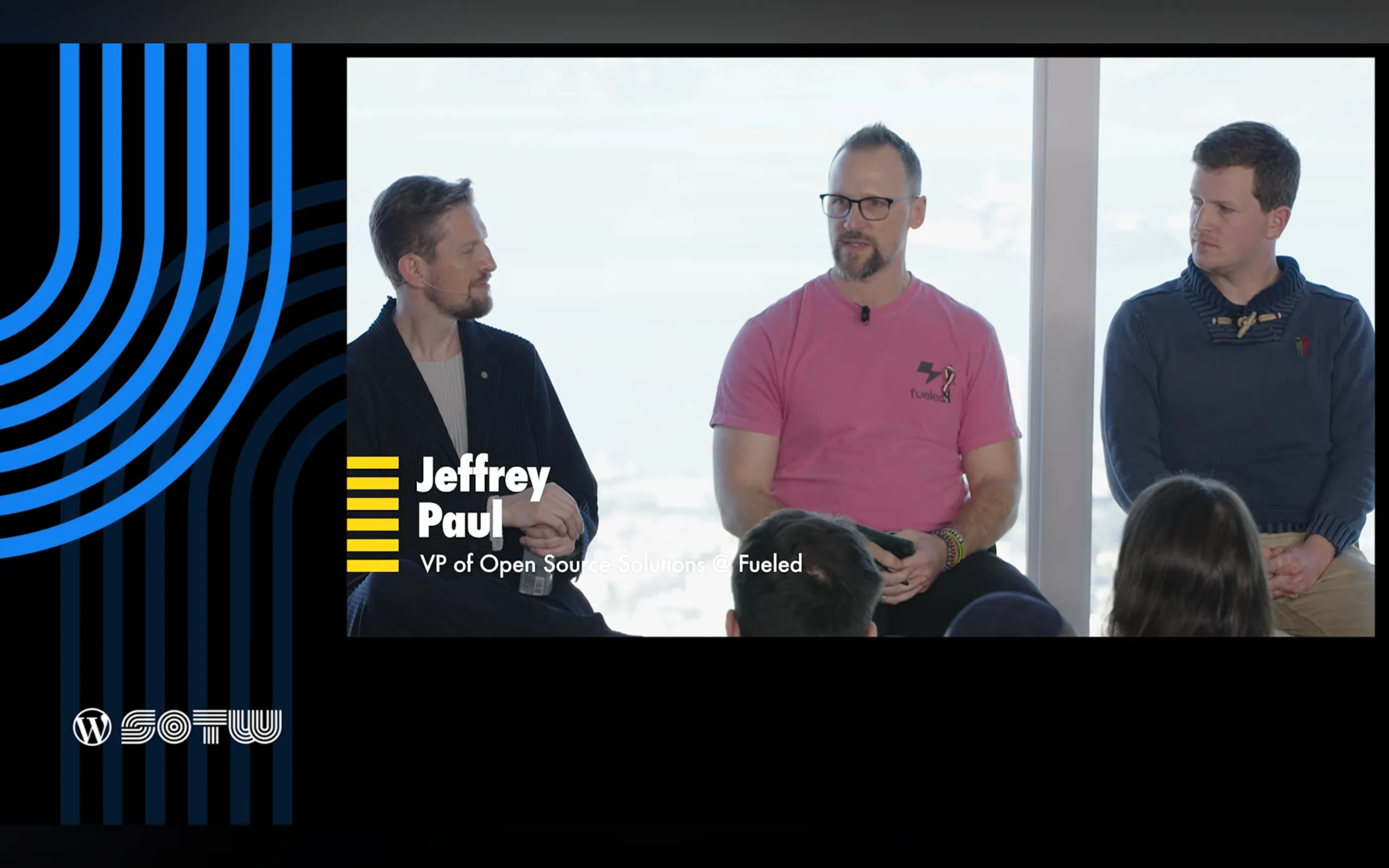
    One of the highlights of my year was joining the AI panel hosted by Mary Hubbard, alongside Matt Mullenweg, Felix Arntz, and James LePage.  Sitting on that panel, hearing how each of us approached AI from different angles, I realized we were not just discussing features.  We were describing a shift in how people will build and maintain sites in the coming years.

    This is where the “obvious and surprising things” came up.  These were ideas I shared during the panel, because they reflect what I have seen across Fueled (and 10up) client work, ClassifAI development, and now the AI Experiments plugin.

    The obvious things

    These are the patterns everyone expected to see, and they are becoming mainstream faster than many predicted.

    • Chat-based search showing up as a natural extension of site discovery
    • Local and in-browser models that run privately, offline, and at very low cost
    • AI-driven brand visibility (aka “GEO” or Generative Engine Optimization)
    • Content distribution and translation workflows that used to require entire engineering teams now becoming almost trivial

    These trends feel obvious only because the groundwork has been quietly laid for years.

    The surprising things

    The twist this year came from watching how people are starting to use the new Notes feature in WordPress 6.9.

    I mentioned this on the panel because it caught me off guard when I saw it bubbling up within the community during the 6.9 release cycle.  People are already experimenting with AI-driven content review inside Notes.  Imagine WordPress calling out accessibility issues, shifts in tone, or sections where your writing reads differently than you intended.  These are editorial tools that used to require specialized software.  Now they are emerging directly inside WordPress.

    That is when it hit me.  The AI conversation in WordPress is no longer about novelty.  It is about workflow, quality, and confidence.

    A journey that started long before this State of the Word

    For me, this work did not start with the AI Experiments plugin.  It started in 2018 when the 10up team built the first version of ClassifAI for a client who needed content classification at scale.  We open-sourced it in 2019 and kept evolving it as real publishers and agencies pushed its limits.

    Those years shaped everything I know about AI inside WordPress.  They taught me how AI fits into editorial workflows, when AI should require human review versus full automation, how permissions and provider selection affect trust, and how failure states must be designed with care.  Those lessons are now embedded in the AI Experiments plugin.

    ClassifAI will continue serving enterprise use cases with deep configurability.  It will adopt the Abilities API, MCP adapter, and WP AI Client as those stabilize in the ecosystem.

    The AI Experiments plugin takes a different path.  It offers simple, approachable example AI experiments for non-technical users, while also serving as a reference for developers, agencies, and hosts who want to build AI powered features for their customers.

    If you want a strong overview of how we are building the AI Experiments plugin, my colleague Darin Kotter wrote a great breakdown: Making AI Experiments: The Official Reference Plugin for WordPress AI.

    What is in the AI Experiments plugin today and what is coming next?

    A purple and pink background

    Version 0.1.0

    This first release set the foundation with:

    • Title Generation
    • Credentials and Settings screens
    • An experiment registry
    • An example experiment for developers

    It created the structure we needed to introduce more complex features.

    Version 0.2.0

    The next release is where the plugin starts to feel alive. It is targeting:

    • Excerpt Generation
    • Image Generation
    • Alt Text Generation
    • Abilities Explorer
    • A live MCP demonstration
    • An AI Playground inspired by Felix’s work in the AI Services plugin

    Each of these experiments helps us learn how people want to use AI inside their workflows, and which features could grow into stable tools inside core one day.

    Looking ahead

    This year’s State of the Word left me excited about something simple.

    We are not racing toward AI.

    We are shaping AI so it fits naturally into the way people already work in WordPress.

    We are building an ecosystem where:

    • open tools remain the default (I’m specifically passionate about open source, local LLMs)
    • user choice stays central
    • and AI enhances creativity instead of replacing it

    If you want to explore the AI Experiments plugin or get involved, you can follow everything in the open: https://github.com/WordPress/ai.  And if you have ideas or want to push the boundaries of what is possible, I would love to hear them.

    Fediverse Reactions
  • WordCamp Canada 2025 conference talk

    WordCamp Canada 2025 conference talk

    I’m thrilled to share how the Shipping WordPress Without Shipping Code talk went at WordCamp Canada 2025 (aka “WCEH”; get it WC, eh?).  For folks who couldn’t attend, here’s a summary of what we covered, insights from the audience, and next steps you can try yourself.

    If you’d rather watch than read, here’s the full WordCamp Canada 2025 talk:

    In the talk I walked my own path, from helper to release deputy to AI team lead, all without ever having commit access.  Along the way I shared how non-developer roles often get overlooked, practical patterns I’ve used to keep releases moving, and encouragement for designers, strategists, writers, or project leads who want to jump into this space.  Here’s how the session unfolded, with some highlights and sample quotes.

    A close up of a sign

    Opening & Framing

    I started by confronting the myth that only engineers lead in open source.  My aim was to shift perspectives: YOU can lead, even if your strengths lie outside code.

    The Historical Gap

    We talked about how WordPress projects have historically lacked project and product management support, and how that gap creates friction.  I quoted from the WordPress release handbook:

    “The main focus of the release team is to lead the release from its beginning through to launch … to act as connectors and facilitators.”

    It resonated: many in the audience nodded when I called out that non-developer contributions are often invisible or undervalued.

    My Journey

    I shared my own timeline: involvement in WordPress 4.7, then 4.8, 4.9, 5.8, 6.1, and 6.8.  I also noted that WordPress 4.7 had 482 contributors, including 205 first-timers, to emphasize how major release cycles need more scaffolding than code alone in order to support that many new contributors.

    What “Glue Work” Looks Like

    This was a core section of my talk.  We broke down how “glue work” such as triage, alignment, decision logging, and volunteer motivation is the connective tissue in a release.  I used the quote:

    “Triage is the practice of reviewing existing issues to be sure they are relevant and actionable.”

    And I referenced how Apache PMC members and Kubernetes maintain non-coding roles, showing that this isn’t just WordPress-specific but a pattern in mature open source communities.

    Tools, Patterns, & Gotchas

    Here, the audience got actionable advice. Some highlights:

    • Use GitHub issues and projects with clear labels (needs-decision, punt, etc.)
    • Maintain decision logs so the same debates don’t repeat
    • Establish scope gates (feature freeze, RC readiness) to protect the release timeline (go/no go decisions)
    • Beware burnout and invisible labor

    I referenced Karl Fogel’s Producing Open Source Software from my notes in a recent WordPress Book Club hosted by Aaron Jorbin roughly as ~“If it’s not written down, it didn’t happen.” And Nadia Eghbal’s note that “Maintainers simply don’t have the energy to onboard every person who shows passing interest.”

    From Contributor to Leader

    We laid out a three-step path:

    1. Start small: take notes, triage, run a meeting agenda.
    2. Own a lane: coordinate docs, dev notes, or release notes.
    3. Lead a release: coordinate across teams, make decisions, facilitate.

    I also referenced the Kubernetes “leads and shadows” model as something WordPress could use to mentor future contributors.

    Practical Playbook

    Seven habits you can take into your own contributor journey:

    1. Write the agenda, end on time
    2. Keep a decision log
    3. Guard scope with labels
    4. Close stale issues
    5. Default to public and async
    6. Give credit often
    7. Leave breadcrumbs

    I urged the audience to pick one habit and try it immediately.

    Takeaways and Q&A

    I wrapped up by reinforcing that leadership lives outside the repo and glue work makes shipping possible.  I invited folks to pick a lane, join a triage session, or help curate the next release.

    The question period surfaced great stories: people surprised they could participate in release work without code, and others asking how to balance contributions with full-time jobs.

    What I Learned from the Room

    • Many talented people hesitate because they don’t see non-developers in core.
    • The “playbook” habits resonated; people wrote them down quickly.
    • There’s appetite for more structured mentorship paths for project contributors.
    • Some folks suggested pairing systems (non-developer lead and developer lead) to onboard new contributors.

    Next Moves You Can Try

    • Join the next WordPress core triage or bug scrub session.
    • Volunteer to take notes for a devchat.
    • Pick one of the seven playbook habits and try it in your own project or team.
    • Consider how your current job or project might adopt glue roles, like coordinating features, managing scope, or writing decisions.

    Final Thoughts & Thanks

    Before wrapping up, I have to say how special it was to experience WordCamp Canada in Ottawa.  The Carleton University campus was absolutely stunning, with crisp fall air, the leaves just starting to turn, and Richcraft Hall overlooking the canal and nearby lake creating an incredible setting.

    A red and white flag with a white w in the middle

    Ottawa itself is a beautiful mix of history and energy, with old architecture and monuments along the Ottawa River that show how much care the city puts into preserving its character.

    And of course, none of this would have been possible without the amazing organizers, volunteers, and sponsors who made WordCamp Canada feel every bit like the flagship event it is becoming.  The warmth and generosity of the Canadian WordPress community really stood out, from hallway conversations to contributor day collaborations.

    Running this talk in Canada felt meaningful.  It’s part of a larger conversation: WordPress needs more voices who see beyond code, people who connect, facilitate, and help the system work.  I can’t wait to see what happens when more contributors realize they are leaders already.

    If you were in the session, thank you.  If we met, thanks again.  If not, I hope you’ll drop me a line, try one small piece of this playbook, and remember that leadership doesn’t always look like a commit; sometimes it’s the work no one sees, but everyone depends on.

    If you missed the talk, then below are my slides.

    Fediverse Reactions
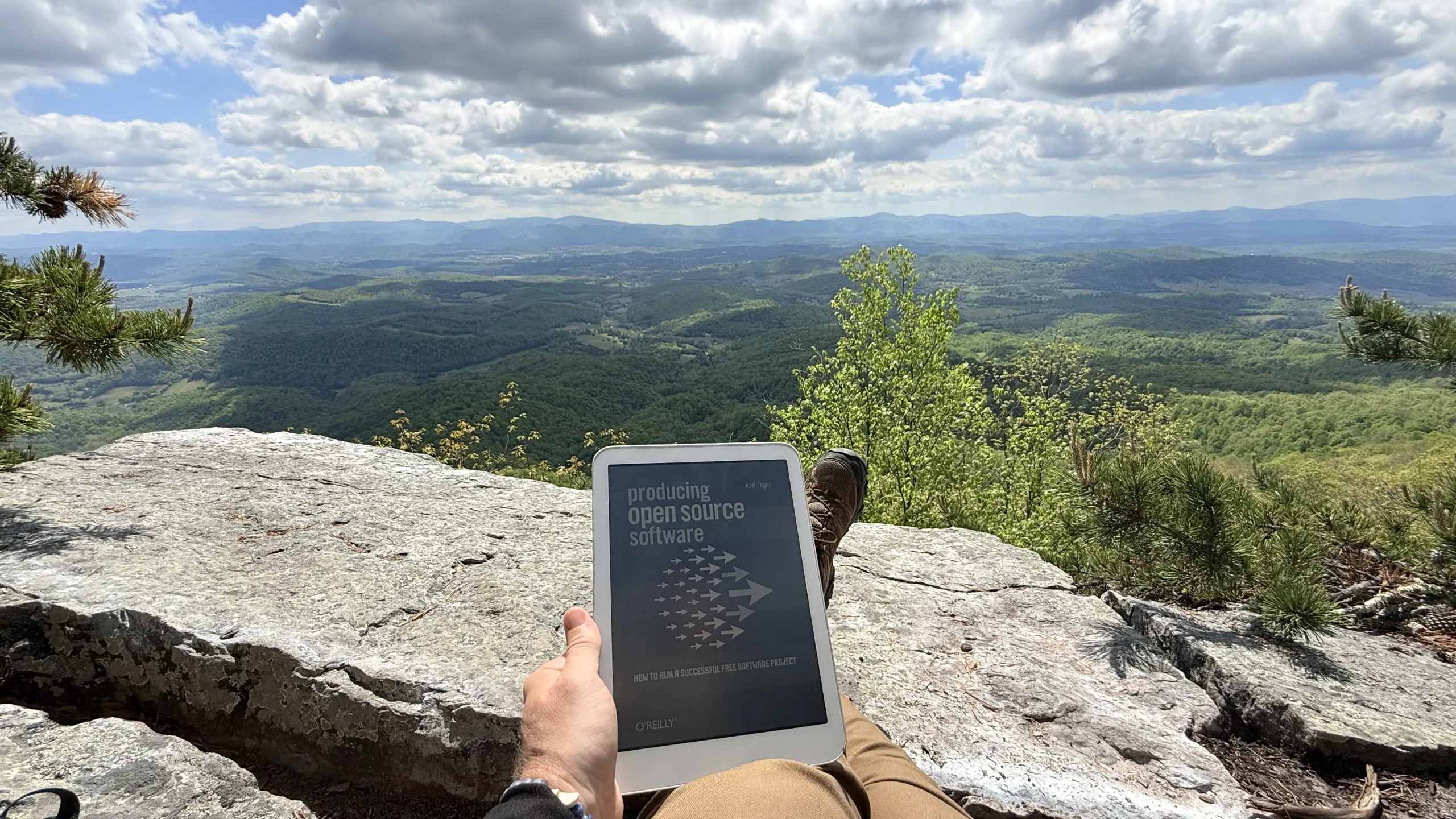
  • Thoughts on “Producing Open Source Software” by Karl Fogel

    Thoughts on “Producing Open Source Software” by Karl Fogel

    Thanks to Aaron Jorbin’s proposal for A WordPress Book Club, I dove back into reading Karl Fogel’sProducing Open Source Software“.  I’ve picked the book up several times in the past, but got sidetracked by life and never managed to complete it though always enjoyed it and took bits away for other parts of my (work) life.  This time around, with the book club group’s weekly meetup holding me accountable, I hope to complete my reading.

    As part of Aaron’s prodding to folks in the book club, I’m also planning to keep this post updated with things I find interesting in the book (so look for updates here ~weekly as I progress through the book with the club).  My plan is to excerpt portions I highlight as I read and, when I can recollect why, I’ll include notes as to why I felt a specific portion was meaningful.

    Foreword

    It’s been said that humility is the most underrated force in the world today. Successful open source leaders demonstrate this over and over by driving for consensus on major ideas, making it clear their own ideas are open to challenge, and being as transparent as possible.

    Folks who’ve worked with me may have heard me remark “tell me why I’m being stupid here” to try and lighten the tone in a conversation and solicit feedback and alternative options.  Pair this with Paul Saffo’s “Strong Opinions Weakly Held” (Educom Review, 1998) that I generally try to take to heart and be open to those alternate options and changing direction.

    Building a sense of empowerment amongst the developers is more important than meeting ship dates with specific features, and more important than creating zero-defect software. The Apache Software Foundation, for example, believes that its first order of business is creating healthy software developer communities focused on solving common problems; good software is a simply an emergent result.

    I had definitely not considered community-building as a primary goal and allowing for “good software” to follow, so this is a concept I’ll be looking to observe and test out when I can.

    Among many other benefits, this rule means that leadership in an open source community comes not from leverage or control, but from finding common interests and expertly managing what is volunteered.

    My experience within the WordPress project, primarily in a project / product management capacity, is definitely a lack of leverage or control and that “expertly managing what is volunteered” being the hardest bit to manage in trying to get to an ideal release date with specific features.

    Open source projects don’t compete for “market share” — for dollars from the user base — because there aren’t any. Instead, they compete for developer mind share and heart share, and that’s not going to flow to a leader who’s obstinate, unresponsive to the user community, or technically unsophisticated.

    Noted Karl; though we all would benefit from the “don’t be a jerk” approach to life.

    Preface

    I’d summarize the economics of open source: that there are organizations in whose interest it is to have certain software exist, but that they don’t need to sell copies, they just want to make sure the software is available and maintained, as a tool instead of a commodity.

    source: Why Write This Book?

    A quick sidebar to these organizations: please. fund. open. source.

    A free software project can be started, and it can be influenced by interested parties, often quite strongly. But its assets cannot be made the property of any single owner, and as long as there are people somewhere — anywhere — interested in continuing it, it cannot be unilaterally shut down. Everyone has infinite power; everyone has no power.

    source: Why Write This Book?

    WordPress famously forked b2/cafelog.  The infinite power/no power bit there feels like a solid open source conference t-shirt.

    Free software projects have evolved a distinct culture, an ethos in which the liberty to make the software do anything one wants is a central tenet, and yet the result of this liberty is not a scattering of individuals each going their own separate way with the code, but enthusiastic collaboration. Indeed, competence at cooperation itself is one of the most highly valued skills in free software. To manage these projects is to engage in a kind of hypertrophied cooperation, where one’s ability not only to work with others but to come up with new ways of working together can result in tangible benefits to the software.

    source: Why Write This Book?

    Enthusiastic collaboration, a term Jorbin also highlighted and specifically utilized in the Week 1 session of the book club also stuck out to me.  “Competence at cooperation” feels like a great follow-on from the “expertly managing what is volunteered” earlier, a difficult skill to learn, an even harder one to utilize, but one that a great project/product manager (maintainer?) can use to wonderful benefit of an open source project.

    1. Introduction

    When a free software project runs aground, it is often because the developers (or the managers) did not appreciate the unique problems of open source software development, even though they might have been quite prepared for the better-known difficulties of closed-source development.

    source: Introduction

    I’ve managed both open source and closed source projects, and while the complexities and difficulties of closed source development are significant, from aligning stakeholders to managing timelines and resources, open source adds an entirely different layer of challenges.  You’re not just building software, you’re building consensus across distributed teams, aligning diverse motivations, and fostering a community that often extends far beyond any single organization.  When it goes wrong, it can be harder to recover than in a closed environment.  But when it goes right, the outcomes are remarkable: the shared ownership, unexpected innovations, and sense of collective achievement make the effort more than worth it.  I love open source, its communities, its people, its software.

    Next comes the fallacy that little or no project management is required in open source, or conversely, that the same management practices used for in-house development will work equally well on an open source project. Management in an open source project isn’t always very visible, but in the successful projects, it’s usually happening behind the scenes in some form or another.

    source: Introduction

    I think I might just copy/paste this straight into my LinkedIn profile.

    The GNU General Public License (GPL) is a clever piece of legal judo: it says that the code may be copied and modified without restriction, and that both copies and derivative works (i.e., modified versions) must be distributed under the same license as the original, with no additional restrictions.

    In effect, it uses copyright law to achieve an effect opposite to that of traditional copyright: instead of limiting the software’s distribution, it prevents anyone, even the author, from limiting it. For Stallman, this was better than simply putting his code into the public domain. If it were in the public domain, any particular copy of it could be incorporated into a proprietary program (as has also been known to happen to code under permissive copyright licenses). While such incorporation wouldn’t in any way diminish the original code’s continued availability, it would have meant that Stallman’s efforts could benefit the enemy — proprietary software. The GPL can be thought of as a form of protectionism for free software, because it prevents non-free software from taking full advantage of GPLed code.

    source: Conscious Resistance

    A really great, concise primer on the GPL for those not conversant.

    It’s true that all free software is zero-cost,[6] but not all zero-cost software is free.

    source: “Free” Versus “Open Source”

    The might read a bit confusing, at least until you get through the next section below.

    This confusion over the word “free” is due entirely to an unfortunate ambiguity in the English language. Most other tongues distinguish low prices from liberty (the distinction between gratis and libre is immediately clear to speakers of Romance languages, for example).

    source: “Free” Versus “Open Source”

    Raise your hand if you’re surprised the English language made things more complex than necessary.  No one?  Yeah, didn’t think so; way to go English.  Libre Open Source Software (LOSS) perhaps as the new term to utilize?  Yeah, you’re right, LOSS is not a great acronym (I’m not sure that FLOSS is any better).

    In 1998, the term open source was created as an alternative to “free”, by a coalition of programmers who eventually became The Open Source Initiative (OSI).[8] The OSI felt not only that “free software” was potentially confusing, but that the word “free” was just one symptom of a general problem: that the movement needed a marketing program to pitch it to the corporate world, and that talk of morals and the social benefits of sharing would never fly in corporate boardrooms.

    source: “Free” Versus “Open Source”

    Convincing the corporate world about the benefits of usefulness of open source has created the most enjoyable parts of my career.  So for that, thanks OSI!

    Mainstream corporate CEOs and CTOs will never buy “free software.” But if we take the very same tradition, the same people, and the same free-software licenses and change the label to “open source”? That, they’ll buy.

    Some hackers find this hard to believe, but that’s because they’re techies who think in concrete, substantial terms and don’t understand how important image is when you’re selling something.

    source: “Free” Versus “Open Source”

    I’ve been in those corporate offices and board rooms, what you might consider inconsequential semantics are often what sways decisions.  Again, thanks OSI!

    In marketing, appearance is reality.

    source: “Free” Versus “Open Source”

    Perception is realityPerception is more important than intent.

    good marketing, where “good” means “viable in the business world.”

    source: “Free” Versus “Open Source”

    A more simplified notion than a couple sections above; business viability of open source has likely unlocked a massive increase in investment (time and money) in open source.

    But it is rare for a free software/open source developer to openly question the basic motivations of others in a project. The contribution trumps the contributor. If someone writes good code, you don’t ask them whether they do it for moral reasons, or because their employer paid them to, or because they’re building up their resumé, or whatever. You evaluate the contribution on technical grounds, and respond on technical grounds.

    source: “Free” Versus “Open Source”

    “The contribution trumps the contributor.” is probably another open-source conference t-shirt motto.  There are some good “thought experiment” questions that come from this, so perhaps an item I’ll take back to the next WP Book Club meeting to hear what others think.

    Free software is remarkable even among volunteer communities for its lightness of investment. Most of the people involved have never actually met the other participants face-to-face, and simply donate bits of time whenever they feel like it. The normal conduits by which humans bond with each other and form lasting groups are narrowed down to a tiny channel: the written word, carried over electronic wires. Because of this, it can take a long time for a cohesive and dedicated group to form.

    source: The Situation Today

    And because of this, having in-person events around an open source community can immensely help activate and build those community bonds.  Cohesion via connection (emphasis absolutely mine) fosters trust, accelerates collaboration, and often creates the momentum that sustains contributions long after an event ends.

    Conversely, it’s quite easy for a project to lose a potential volunteer in the first five minutes of acquaintanceship. If a project doesn’t make a good first impression, newcomers rarely give it a second chance.

    source: The Situation Today

    The new contribution experience is not easy to get right, but get it wrong and building the community will stall out faster than a project can get a chance to take off.

    The transience, or rather the potential transience, of relationships is perhaps the single most daunting task facing a new project. What will persuade all these people to stick together long enough to produce something useful? The answer to that question is complex enough to occupy the rest of this book, but if it had to be expressed in one sentence, it would be this:

    People should feel that their connection to a project, and influence over it, is directly proportional to their contributions.

    source: The Situation Today

    And getting people to get that feeling, is a key challenge for those looking to build an open source community around their beloved open source project.

    No class of developers, or potential developers, should ever feel discounted or discriminated against for non-technical reasons.

    source: The Situation Today

    And neither should non-developers.

    2. Getting Started

    The standard way to do this is to put the full license text in a file called COPYING (or LICENSE), and then put a short notice at the top of each source file, naming the copyright date, holder, and license, and saying where to find the full text of the license.

    source: How to Apply a License to Your Software

    The GNU GPL says to put a notice like this at the top of each source file:

    Copyright (C) <year> <name of author>

    source: How to Apply a License to Your Software

    “At the top of each source file”?  I think in my work at Fueled + 10up, I cannot recall really even doing this in the main PHP file for plugins let alone each source file.  I’m curious what others think, is each source file overkill or best practice?

    Younger children hear the songs sung by older ones, and when they are older, they in turn will sing them in front of other younger ones. The children are not engaging in a conscious program of transmission, of course, but the reason the songs survive is nonetheless that they are transmitted regularly and repeatedly. The time scale of free software projects may not be measured in centuries (we don’t know yet), but the dynamics of transmission are much the same.

    source: Setting the Tone

    I definitely chuckled to myself when reading this as I imagined children singing the source code from some random WordPress plugin.  8)

    If there’s no reason for it to be private, it should be public.

    source: Avoid Private Discussions

    This is a great motto, it likely belongs on a tech conference t-shirt.

    From the very start of your project’s public existence, you should maintain a zero-tolerance policy toward rude or insulting behavior in its forums.

    source: Nip Rudeness in the Bud

    Zero-tolerance simply means never letting bad behavior slide by unnoticed. For example, when someone posts a technical comment mixed together with an ad hominem attack on some other developer in the project, it is imperative that your response address the ad hominem attack first, as a separate issue unto itself, and only afterward move on to the technical content.

    source: Nip Rudeness in the Bud

    It’s a short distance from calling someone’s technical proposal stupid to calling the person themselves stupid.

    source: Nip Rudeness in the Bud

    Instead, when you think you see it happening, make a post that stresses the importance of keeping the discussion friendly, without accusing anyone of being deliberately poisonous.

    source: Nip Rudeness in the Bud

    If you consistently call out bad behavior, but don’t demand an apology or acknowledgment from the offending party, then you leave people free to cool down and show their better side by behaving more decorously next time — and they will. One of the secrets of doing this successfully is to never make the meta-discussion the main topic. It should always be an aside, a brief preface to the main portion of your response. Point out in passing that “we don’t do things that way around here,” but then move on to the real content, so that you’re giving people something on-topic to respond to.

    source: Nip Rudeness in the Bud

    Fully excerpting those five segments together as a reminder really for myself for the optimal reaction in these scenarios.  If others choose to follow Karl’s example here, then great.

    Don’t worry that you might not find anything to comment on, or that you don’t know enough about every area of the code. There will usually be something to say about almost every commit; even where you don’t find anything to question, you may find something to praise.

    source: Practice Conspicuous Code Review / Case study

    One of my favorite things in code review is positivity (“great comment here!”, “really creative, simple solution!”) and not just always fix this, change that, nitpick another thing.  More praise in code reviews please!

    The very best thing you can do is lead by example. If you don’t see your developers answering enough newbie questions, then just telling them to answer more isn’t going to help.

    source: Opening a Formerly Closed Project

    The way to get them to participate is to participate yourself.

    source: Opening a Formerly Closed Project

    Y’all hear Karl, the best option is to “roll up our sleeves” and get into the work and a good community will hopefully follow that example.

    …more to come with future WP Book Club weeks and further readings of Karl Fogel’s tome…

    Update (10 SEP 2025): Added thoughts on chapter “2. Getting Started”.

    This post’s featured image is “Signed copies of ‘Producing Open Source Software’” by ian weller is licensed under CC BY-SA 2.0.

  • WordCamp US 2025 conference panel

    WordCamp US 2025 conference panel

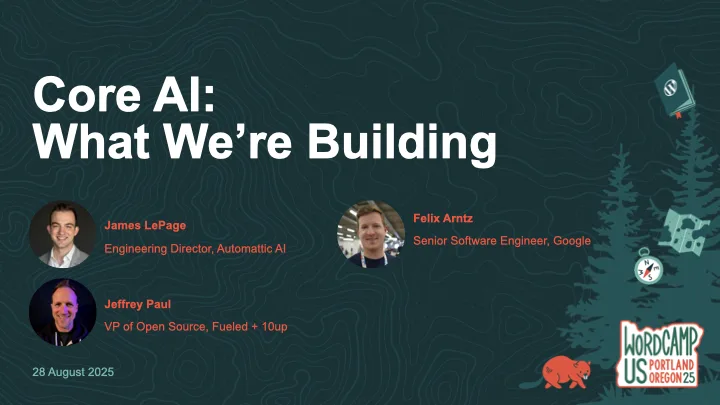
    Thanks to everyone who came to the Core AI team’s panel discussion at WordCamp US 2025, Core AI: What We’re Building (available to live-stream on YouTube and WordPress.tv).

    The description of the panel is as follows:

    A group presentation from the Core AI team on what we’re building. Progress since the team formation, next steps, implementation examples, and an open Q&A.

    Read more about the formation of the WordPress AI team.

    If you missed the panel discussion, then below are our slides.

    Finally, here’s the on-demand panel discussion:

  • WordCamp US 2025 conference workshop

    WordCamp US 2025 conference workshop

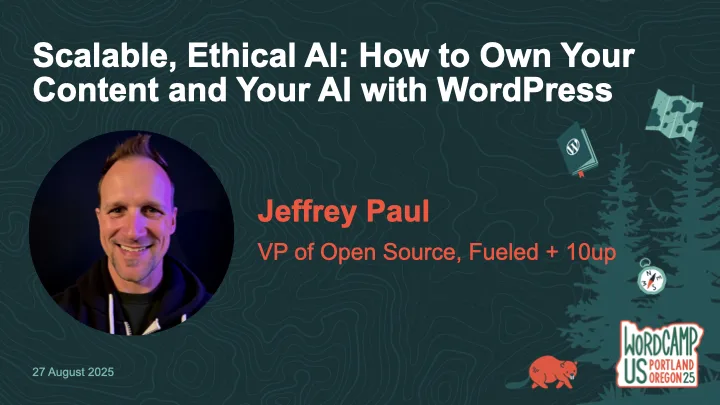
    Thanks to everyone who came to my workshop at WordCamp US 2025, Scalable, Ethical AI: How to Own Your Content and Your AI with WordPress.  While the workshop was not live-streamed, it was recorded and is available on WordPress.tv (and hopefully YouTube soon).

    The description of the workshop is as follows:

    AI is becoming standard in content workflows—but too often, it comes at the cost of data privacy, long-term ownership, and open standards.  What if WordPress could help you do AI differently?

    In this workshop, we’ll go hands-on with ClassifAI and local LLMs to explore how AI features can be built ethically and scalably—from alt text generation to semantic classification to content summarization.  You’ll learn how to configure ClassifAI with a local model via Ollama or any compatible runner, using the new AI Services plugin developed by the WordPress Core AI Team.

    We’ll walk through real-world use cases and show how teams can reduce third-party dependencies while speeding up editorial flow—especially useful for enterprise content teams, agencies, and hosts.  You’ll leave with a working configuration (or clear path to one), plus a roadmap of how these tools are evolving across the WordPress ecosystem.

    Bring your laptop and a local or staging WordPress site if you’d like to follow along.  Whether you’re building for one site or 10,000, this workshop will help you make AI work for you—not the other way around.

    If you missed the workshop or had troubles following along (sorry!), then below are my slides as well as a reference to the prerequisite setup steps to be prepared for the workshop.

    Finally, here’s the on-demand workshop:

    Fediverse Reactions
  • Get Ready for My WCUS 2025 Workshop: Set Up Your Local AI-Powered WordPress Environment

    Get Ready for My WCUS 2025 Workshop: Set Up Your Local AI-Powered WordPress Environment

    If you’re joining my Scalable, Ethical AI workshop at WordCamp US 2025, we’re going hands-on with building privacy-friendly, locally-powered AI workflows right inside WordPress.  By the end of the workshop, you’ll leave knowing how to own both your content and your AI.

    This guide will help you prepare your laptop ahead of time so you can spend less time troubleshooting and more time experimenting with tools like ClassifAI and Ollama.  By doing this setup in advance, you’ll spend more time exploring the features and asking questions and less time downloading files during the workshop.

    Step 1. Set Up Your Local WordPress Environment

    The fastest way to get started is with tools like WordPress Studio, LocalWP, or DevKinsta that spin up a fully functional local site in minutes.  If you’ve got something else you like/use, then by all means use that!

    • Download and install WordPress 6.8 (PHP 8.1 or newer recommended)
    • Create a new local site
    • Confirm you can log into your WordPress dashboard

    Step 2. Install the ClassifAI Plugin

    ClassifAI is the AI integration plugin we’ll use throughout the workshop.

    • Download it from classifaiplugin.com
    • Or grab it directly from GitHub
    • Upload and install via Plugins → Add New
    • We’ll activate and configure it together during the workshop, but feel free to test it out before then!

    Step 3. Install Ollama for Local AI Models

    We’ll use Ollama to run AI models locally, keeping your content private and your workflows fully under your control.

    1. Download and install Ollama for your operating system.
    2. Pre-pull the four models we’ll use in the workshop:
    ollama pull qwen2.5:3b-instruct-q4_0
    ollama pull phi3:mini
    ollama pull all-minilm:l6-v2
    ollama pull moondream:v2

    Step 4. (Optional) Configure ClassifAI to Use Ollama

    We’ll work through this during the workshop, but if you’re wanting to get ahead of things then feel free to set up these features.  Once ClassifAI and Ollama are installed, we’ll connect each feature to a local model:

    FeatureModelPurpose
    Content Generationqwen2.5:3b-instruct-q4_0Drafts high-quality content locally
    Title Generationphi3:miniSEO-friendly, engaging post titles
    Excerpt Generationphi3:miniClean, concise summaries
    Content Resizingphi3:miniExpand or condense paragraphs on demand
    Key Takeawaysphi3:miniExtract key insights automatically
    Classificationall-minilm:l6-v2Suggests categories and tags locally
    Alt Text Generationmoondream:v2Privacy-safe image descriptions

    Step 5. Test Your Setup

    To confirm everything is working:

    ollama run phi3:mini "Hello from WCUS workshop setup"

    The above should respond with a simple message from Ollama (via the phi3:mini model), though in my testing it will almost certainly NOT get the WCUS acronym correct ;).

    If you did the optional ClassifAI configurations in Step 4, then test those are working as expected:

    1. Create a new draft post in WordPress.
    2. Use Title Generation or Content Generation from ClassifAI.
    3. Verify that a response comes back successfully.
    4. If something isn’t working, try restarting Ollama:
    ollama run

    Step 6. (Optional) Load Sample Content

    If you’d like extra material to test during the workshop, you can download the sample content that I’ve assembled.  I’ll provide USB drives with this sample posts, images, and taxonomy terms on the day of the workshop as well.

    To load them:

    • Go to Tools → Import → WordPress
    • Upload the provided XML file
    • Import posts, pages, and media assets

    Additional Resources

    • ClassifAI – Local Media HTTP: a small ClassifAI extension to serve attachments over http on .local sites
    • ClassifAI – Ollama Timeout: a small ClassifAI extension to increase the HTTP timeout for requests to Ollama on localhost
    • WordPress AI team: whether you’re an engineer, designer, researcher, or just curious about AI, we’d love to have you involved as we shape the future of AI in WordPress

    See You at WCUS!

    I can’t wait to connect with folks in-person at WordCamp US 2025 and dig into how we can own our content and our AI using WordPress, ClassifAI, and locally-powered workflows.

    Whether you’re a developer, editor, or site owner, you’ll hopefully leave the workshop with a hands-on understanding of how to bring scalable, ethical AI into your publishing stack without handing your data over to external platforms.

    Fediverse Reactions
  • WordCamp US 2023 conference talk

    WordCamp US 2023 conference talk

    Later today at WordCamp US 2023 in National Harbor, Maryland, USA I’m giving a lightning talk on “Using a GitHub Action to ensure your plugins are GPL compatible.”

    The description of the talk is as follows:

    The WordPress.org plugin directory requires that all plugins must be compatible with the GNU General Public License (“GPL”) and recommends GPLv2 or later as the same license as WordPress itself. This includes third-party libraries, code, and images. With today’s modern development practices and easier contributions on git-based systems like GitHub, you may not even notice a dependency being added to your project. I will show you how to utilize a GitHub Action to scan your current codebase and ensure that all future pull requests and commits similarly ensure that all third-party libraries (aka dependencies) are GPL-compatible so that you can rest safe that your plugin can properly maintain its GPL-compatible claim.

    Feel free to reach out with any questions on the topic via comments on this post or contacting me directly.

    Finally, here are the slides from my presentation as a direct link from Google Slides and as a PDF:

    Fediverse Reactions