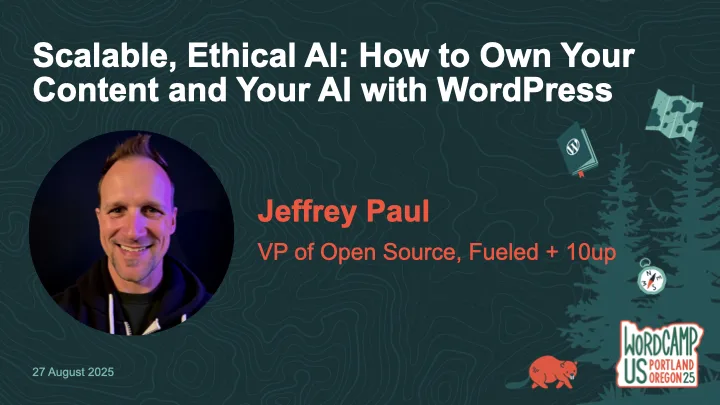
AI is becoming standard in content workflows—but too often, it comes at the cost of data privacy, long-term ownership, and open standards. What if WordPress could help you do AI differently?
In this workshop, we’ll go hands-on with ClassifAI and local LLMs to explore how AI features can be built ethically and scalably—from alt text generation to semantic classification to content summarization. You’ll learn how to configure ClassifAI with a local model via Ollama or any compatible runner, using the new AI Services plugin developed by the WordPress Core AI Team.
We’ll walk through real-world use cases and show how teams can reduce third-party dependencies while speeding up editorial flow—especially useful for enterprise content teams, agencies, and hosts. You’ll leave with a working configuration (or clear path to one), plus a roadmap of how these tools are evolving across the WordPress ecosystem.
Bring your laptop and a local or staging WordPress site if you’d like to follow along. Whether you’re building for one site or 10,000, this workshop will help you make AI work for you—not the other way around.
If you missed the workshop or had troubles following along (sorry!), then below are my slides as well as a reference to the prerequisite setup steps to be prepared for the workshop.
If you’re joining my Scalable, Ethical AI workshop at WordCamp US 2025, we’re going hands-on with building privacy-friendly, locally-powered AI workflows right inside WordPress. By the end of the workshop, you’ll leave knowing how to own both your content and your AI.
This guide will help you prepare your laptop ahead of time so you can spend less time troubleshooting and more time experimenting with tools like ClassifAI and Ollama. By doing this setup in advance, you’ll spend more time exploring the features and asking questions and less time downloading files during the workshop.
Step 1. Set Up Your Local WordPress Environment
The fastest way to get started is with tools like WordPress Studio, LocalWP, or DevKinsta that spin up a fully functional local site in minutes. If you’ve got something else you like/use, then by all means use that!
Download and install WordPress 6.8 (PHP 8.1 or newer recommended)
Create a new local site
Confirm you can log into your WordPress dashboard
Step 2. Install the ClassifAI Plugin
ClassifAI is the AI integration plugin we’ll use throughout the workshop.
Step 4. (Optional) Configure ClassifAI to Use Ollama
We’ll work through this during the workshop, but if you’re wanting to get ahead of things then feel free to set up these features. Once ClassifAI and Ollama are installed, we’ll connect each feature to a local model:
Feature
Model
Purpose
Content Generation
qwen2.5:3b-instruct-q4_0
Drafts high-quality content locally
Title Generation
phi3:mini
SEO-friendly, engaging post titles
Excerpt Generation
phi3:mini
Clean, concise summaries
Content Resizing
phi3:mini
Expand or condense paragraphs on demand
Key Takeaways
phi3:mini
Extract key insights automatically
Classification
all-minilm:l6-v2
Suggests categories and tags locally
Alt Text Generation
moondream:v2
Privacy-safe image descriptions
Step 5. Test Your Setup
To confirm everything is working:
ollama run phi3:mini "Hello from WCUS workshop setup"
The above should respond with a simple message from Ollama (via the phi3:mini model), though in my testing it will almost certainly NOT get the WCUS acronym correct ;).
If you did the optional ClassifAI configurations in Step 4, then test those are working as expected:
Create a new draft post in WordPress.
Use Title Generation or Content Generation from ClassifAI.
Verify that a response comes back successfully.
If something isn’t working, try restarting Ollama:
ollama run
Step 6. (Optional) Load Sample Content
If you’d like extra material to test during the workshop, you can download the sample content that I’ve assembled. I’ll provide USB drives with this sample posts, images, and taxonomy terms on the day of the workshop as well.
ClassifAI – Ollama Timeout: a small ClassifAI extension to increase the HTTP timeout for requests to Ollama on localhost
WordPress AI team: whether you’re an engineer, designer, researcher, or just curious about AI, we’d love to have you involved as we shape the future of AI in WordPress
See You at WCUS!
I can’t wait to connect with folks in-person at WordCamp US 2025 and dig into how we can own our content and our AI using WordPress, ClassifAI, and locally-powered workflows.
Whether you’re a developer, editor, or site owner, you’ll hopefully leave the workshop with a hands-on understanding of how to bring scalable, ethical AI into your publishing stack without handing your data over to external platforms.