AI search platforms are already evolving to include links back to sources, and future monetization models may resemble Google Ads.
Fast forward to this week, when ChatGPT showed me an in-product notice about ads appearing in chats, linking to OpenAI’s Testing ads in ChatGPT announcement. OpenAI began testing ads in the U.S. in February, and this week’s update expands ChatGPT Ads to the UK, Mexico, Brazil, Japan, and South Korea.
The ads appear below ChatGPT responses, clearly labeled as sponsored and separate from the answer itself. But here’s where the Google Ads comparison gets interesting: when multiple ads are eligible, OpenAI says it considers both relevance and advertiser bids when deciding which one appears first.
Much like businesses have spent decades competing for paid visibility alongside search results, they’ll now need to think about paid visibility alongside AI-generated answers. OpenAI is already offering advertisers campaigns, budgets, targeting, bidding, and cost-per-click or cost-per-thousand-impression buying models. Google Ads for LLMs isn’t theoretical anymore. The future is here.
At first glance those might seem like unrelated conversations. One focuses on sustainability and business models, while the other looks at contributor behavior and code quality. But they are both signals of a deeper change in how developers discover, learn from, and contribute to open source projects.
Having spent years working in open source communities, particularly in the WordPress ecosystem, the patterns maintainers are seeing right now feel meaningfully different. Open source has always been foundational infrastructure for the web for better or worse, but AI is amplifying that role in ways that are both exciting and challenging for the communities that sustain it for better or worse.
Many modern AI systems are built on open source frameworks, and large language models have been trained on enormous bodies of publicly available code. At the same time, developers are increasingly using AI-powered tools to generate code, debug problems, and explore unfamiliar technologies, and the answers those tools produce often rely heavily on open source libraries, patterns, and documentation.
In other words, open source is not becoming less important in the age of AI. If anything, it is becoming even more central to how software gets built.
What is changing is how developers engage with the projects behind that infrastructure. Traditionally, developers discovered and learned about open source projects through documentation, issue discussions, conference talks, blog posts, and direct interaction with maintainers and contributors. Over time they built a mental model of how a project worked, what problems it was designed to solve, and how to contribute effectively.
AI tools reshape that feedback loop. Instead of reading documentation or exploring issues, developers can increasingly ask an AI assistant for an answer and receive working code or configuration suggestions almost immediately. The AI draws from documentation, source code, and examples to generate a solution, often without requiring the developer to interact directly with the project itself.
That shift is incredibly powerful and can dramatically accelerate development, but it also creates a more indirect relationship between developers and the communities behind the tools they rely on. Developers can benefit from open source projects without ever encountering the maintainers, reading the roadmap, or participating in the conversations that shape how those projects evolve. But… is that a good thing, that separation?
Maintainers are also beginning to feel the effects of AI from another direction. Across many open source projects, maintainers are seeing a noticeable increase in AI-assisted contributions. Some of these contributions are thoughtful and well considered, and AI can absolutely help people get started with open source or explore parts of a codebase that might otherwise feel intimidating.
But there is also a growing pattern of pull requests that appear to have been largely generated by AI without a clear understanding of the issue they attempt to address. In those cases the code might compile or appear plausible, but the proposed changes often do not reflect the architectural decisions or design constraints of the project.
Maintainers then spend significant time reviewing, explaining, or rejecting contributions that ultimately add more overhead than value. When multiplied across dozens or hundreds of submissions, that review burden can quickly become a real source of strain for projects that are already maintained by small teams or volunteers.
None of this means AI is bad for open source. In many ways it has the potential to strengthen the ecosystem by helping developers ramp up more quickly, improve documentation, and lower the barrier to entry for contributors who want to participate but do not yet feel comfortable navigating a large codebase.
At the same time, open source communities will likely need to develop new norms around how AI is used within contribution workflows. That might mean encouraging contributors to submit smaller and more focused pull requests, ensuring they understand the problems they are trying to solve before generating code, and being transparent about when AI tools were involved in producing a proposed change. It may also mean thinking more intentionally about how maintainers can manage increasing contribution volume without burning out.
These are conversations already happening in several open source communities, including WordPress. With more than 40% of the web running on WordPress, the ecosystem offers an interesting lens into how large open source projects may adapt to AI-assisted development. The WordPress AI team and initiatives like the AI Experiments plugin are exploring how AI capabilities can be integrated into the platform while still maintaining healthy contributor workflows and sustainable community practices.
The two LeadDev articles that sparked this reflection looked at different problems, but both point toward the same broader transformation. AI is making open source more widely used, more visible, and more deeply embedded in the development process than ever before, while at the same time reshaping the relationship between developers and the projects they depend on.
In many ways, AI is increasing the demand for open source while simultaneously increasing the maintenance burden on the people who sustain it. The tools that make it easier to generate code, build applications, and experiment with new technologies are often powered by the very projects that maintainers are now struggling to keep up with.
Open source communities have adapted to major shifts before. Package managers, centralized collaboration platforms like GitHub, and the rise of cloud infrastructure all reshaped how developers build and collaborate. AI feels like another one of those moments where new tools dramatically expand what developers can do while also forcing communities to rethink how they sustain the projects that make that innovation possible.
AI will continue to make it easier to generate code, explore new tools, and build software faster than ever before. But the infrastructure that makes that possible still depends on maintainers, contributors, and communities that invest their time and expertise into open source projects.
If AI is going to accelerate development, it should also raise the bar for how thoughtfully we engage with the projects we depend on. That means understanding the problems we’re solving, contributing responsibly, and recognizing that open source doesn’t sustain itself.
I had the privilege of speakingtwice at WordCamp Canada (“WCEH”; as in WordCamp, eh?)this year but had to leave before Matt Mullenweg’s town hall because of a family emergency. After catching up later through his recap post, I was struck by how much ground he covered, from personal publishing tools and encrypted journaling to AI, open media, and the future of the web itself.
His remarks touched on several themes that feel central to WordPress’s next chapter: helping people reclaim their online identities beyond centralized platforms, and navigating the tension between openness and authenticity as AI reshapes how we create and trust content.
I wanted to ask Matt two questions that build on those ideas about the role WordPress can play in making “publish once, syndicate everywhere” a reality, and how it might help rebuild trust in what’s real online.
Let me give a little update on what I’ve been up to. My life’s mission is to democratize publishing, commerce, and messaging.
On the social side of publishing, I have Tumblr, which is a microblogging social network, but right now it’s on a different technical stack. I need to switch it over to WordPress, but it’s a big lift. It’s over 500 million blogs, actually, and as a business, it’s costing so much more to run than it generates in revenue. We’ve had to prioritize other projects to make it sustainable. It’s probably my biggest failure or missed opportunity right now, but we’re still working on it.
Day One is a fully encrypted, shared, and synchronized blogging and journaling app that runs on every device and on the web. You can also have shared encrypted journals with others. It uses the same encryption as one password. It’s the first place I go to draft an idea—for example, to write this talk. Its editor is not as good as Gutenberg yet, but it’s pretty decent at allowing multimodal input—which means you can record voice notes, draw things, etc.—and capturing it all. It’s mostly replaced Evernote, Simplenote, and even private P2s for me. It has some fun features, like when you make a new entry it records, the location, what music you’re listening to on Apple Music, how many steps you’ve taken, the weather. Honestly, some features that would be nice to get into WordPress, at least as a plugin.
So WordPress.com Studio is built on an open source project called Playground that we created to allow you to spin up WordPress in a WASM container in about 30 seconds, right inside your browser.
So my first question to Matt is this: WordPress powers much of the open web, but most people still publish primarily on centralized social platforms. There were some good talks at WCEH on the open web, the social web, and the indie web, shared by Dave Winer and Evan Prodromou this week and by Tantek Çelik at WCUS 2019. What role do you see WordPress, either in core or through plugins, playing to help people reclaim their online identity and make ‘publish once, syndicate everywhere’ a mainstream reality?
However, when AI creates a face, there’s no such restrictions there. So something that we could actually start to do, because right now I think we have some anti-AI rules in the photo directory, I think we should probably start to look at evolving that. So, for example, you can take a picture of me right now, change my face with AI to a face that has never existed, and that could be CC0-licensed and anyone in the world could use it. So I think there’s some possibilities there.
I also think there’s some opportunities to use AI analysis of all the photos to give a better semantic understanding and a better search that we currently offer, which right now is typically monollingual, I don’t think it translates well into the, you know, 60-plus languages that WordPress supports, and it’s manual tagging. So there might be things to do, like a more automated understanding, which, of course, gets better over time.
You know, we started to incorporate some of the AI models like Gemini and other things on WordPress.org to make us way more efficient on things like plug-in submissions and some code scanning. I actually think we’re very much in chapter one of where this is going to be.
So first I will say, I don’t want to say that there’s bad actors. I think there might be bad actions sometimes, and just temporarily bad actors who hopefully will be good in the future. You know, every saint has a past, every sinner has a future. I never want to define any company or any person as permanently good or bad. Let’s talk about actions.
Which leads to my second question for Matt: As AI makes it harder to tell what’s real online, trust in content is slipping. The Breaking News episode of RadioLab in 2019 showed how deepfakes blur the line between truth and fiction. How can WordPress and the open web help rebuild that trust? For example, could it support initiatives like the Content Authenticity Initiative that use open tools to verify the source and history of digital media?
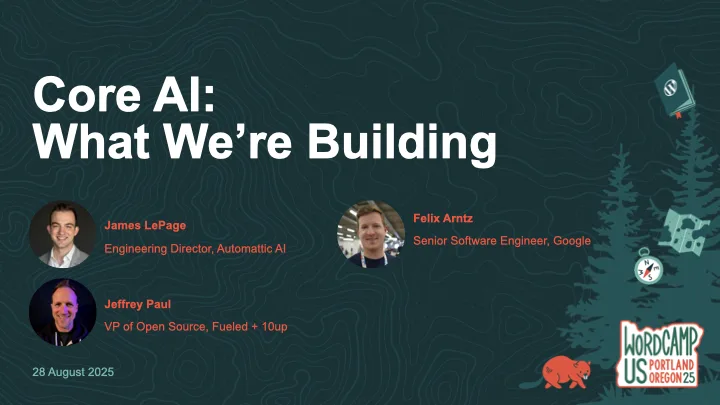
A group presentation from the Core AI team on what we’re building. Progress since the team formation, next steps, implementation examples, and an open Q&A.
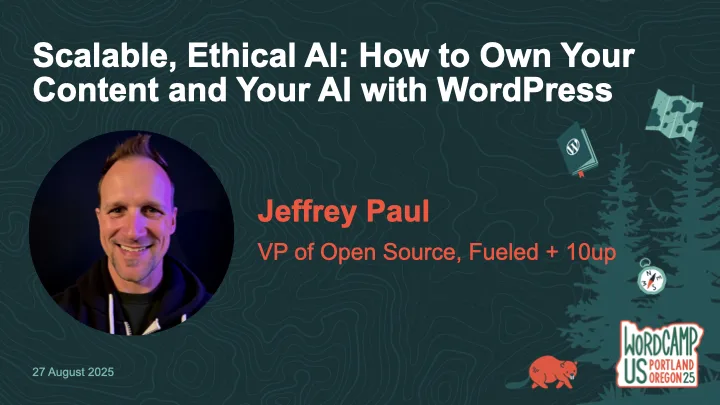
AI is becoming standard in content workflows—but too often, it comes at the cost of data privacy, long-term ownership, and open standards. What if WordPress could help you do AI differently?
In this workshop, we’ll go hands-on with ClassifAI and local LLMs to explore how AI features can be built ethically and scalably—from alt text generation to semantic classification to content summarization. You’ll learn how to configure ClassifAI with a local model via Ollama or any compatible runner, using the new AI Services plugin developed by the WordPress Core AI Team.
We’ll walk through real-world use cases and show how teams can reduce third-party dependencies while speeding up editorial flow—especially useful for enterprise content teams, agencies, and hosts. You’ll leave with a working configuration (or clear path to one), plus a roadmap of how these tools are evolving across the WordPress ecosystem.
Bring your laptop and a local or staging WordPress site if you’d like to follow along. Whether you’re building for one site or 10,000, this workshop will help you make AI work for you—not the other way around.
If you missed the workshop or had troubles following along (sorry!), then below are my slides as well as a reference to the prerequisite setup steps to be prepared for the workshop.
If you’re joining my Scalable, Ethical AI workshop at WordCamp US 2025, we’re going hands-on with building privacy-friendly, locally-powered AI workflows right inside WordPress. By the end of the workshop, you’ll leave knowing how to own both your content and your AI.
This guide will help you prepare your laptop ahead of time so you can spend less time troubleshooting and more time experimenting with tools like ClassifAI and Ollama. By doing this setup in advance, you’ll spend more time exploring the features and asking questions and less time downloading files during the workshop.
Step 1. Set Up Your Local WordPress Environment
The fastest way to get started is with tools like WordPress Studio, LocalWP, or DevKinsta that spin up a fully functional local site in minutes. If you’ve got something else you like/use, then by all means use that!
Download and install WordPress 6.8 (PHP 8.1 or newer recommended)
Create a new local site
Confirm you can log into your WordPress dashboard
Step 2. Install the ClassifAI Plugin
ClassifAI is the AI integration plugin we’ll use throughout the workshop.
Step 4. (Optional) Configure ClassifAI to Use Ollama
We’ll work through this during the workshop, but if you’re wanting to get ahead of things then feel free to set up these features. Once ClassifAI and Ollama are installed, we’ll connect each feature to a local model:
Feature
Model
Purpose
Content Generation
qwen2.5:3b-instruct-q4_0
Drafts high-quality content locally
Title Generation
phi3:mini
SEO-friendly, engaging post titles
Excerpt Generation
phi3:mini
Clean, concise summaries
Content Resizing
phi3:mini
Expand or condense paragraphs on demand
Key Takeaways
phi3:mini
Extract key insights automatically
Classification
all-minilm:l6-v2
Suggests categories and tags locally
Alt Text Generation
moondream:v2
Privacy-safe image descriptions
Step 5. Test Your Setup
To confirm everything is working:
ollama run phi3:mini "Hello from WCUS workshop setup"
The above should respond with a simple message from Ollama (via the phi3:mini model), though in my testing it will almost certainly NOT get the WCUS acronym correct ;).
If you did the optional ClassifAI configurations in Step 4, then test those are working as expected:
Create a new draft post in WordPress.
Use Title Generation or Content Generation from ClassifAI.
Verify that a response comes back successfully.
If something isn’t working, try restarting Ollama:
ollama run
Step 6. (Optional) Load Sample Content
If you’d like extra material to test during the workshop, you can download the sample content that I’ve assembled. I’ll provide USB drives with this sample posts, images, and taxonomy terms on the day of the workshop as well.
ClassifAI – Ollama Timeout: a small ClassifAI extension to increase the HTTP timeout for requests to Ollama on localhost
WordPress AI team: whether you’re an engineer, designer, researcher, or just curious about AI, we’d love to have you involved as we shape the future of AI in WordPress
See You at WCUS!
I can’t wait to connect with folks in-person at WordCamp US 2025 and dig into how we can own our content and our AI using WordPress, ClassifAI, and locally-powered workflows.
Whether you’re a developer, editor, or site owner, you’ll hopefully leave the workshop with a hands-on understanding of how to bring scalable, ethical AI into your publishing stack without handing your data over to external platforms.